The 0.43-inch ultra-thin chassis of the LG Gram SuperSlim 15 (15Z90RT) leads to aggressive CPU thermal throttling reaching 95°C under modest multi-tab workloads, but tuning PL1/PL2 power caps and fan curves drops temps down to 68°C while preserving 11 hours of real-world battery life.
Holding a 15.6-inch laptop weighing only 990 grams (2.18 lbs) feels surreal. The chassis slips into any backpack without adding noticeable weight during long walks between classes.
- Chassis Specs: 10.9mm thickness constructed from durable magnesium-alloy material.
- Display Spec: 15.6-inch FHD (1920x1080) Anti-Glare Low Reflection OLED panel.
- Processor Spec: Intel Core i7-1360P / Core Ultra series with 12 cores and 16 threads.
- Port Selection: 3x USB Type-C ports (2x Thunderbolt 4 enabled) plus 3.5mm headphone jack.
The lightweight convenience is unmatched, but cramming a high-wattage Intel chip into a paper-thin body creates immediate thermal challenges.
Opening ten Chrome tabs while compiling Python scripts pushed CPU temperatures straight to the thermal ceiling within seconds. The single cooling fan spun up into high-pitched whistling noises.
- Peak Thermal Spike: CPU cores hit 97°C during simple software installer routines.
- Clock Downclocking: Processor frequency throttled down from 5.0GHz boost to 1.4GHz base clock.
- Fan Noise Measurement: Reached 44 dB under light multitasking environments.
- Keyboard Deck Warmth: Surface temperatures near the hinge reached uncomfortable heat levels.
I realized immediately that out-of-the-box factory power limits were far too aggressive for this ultra-thin cooling assembly.
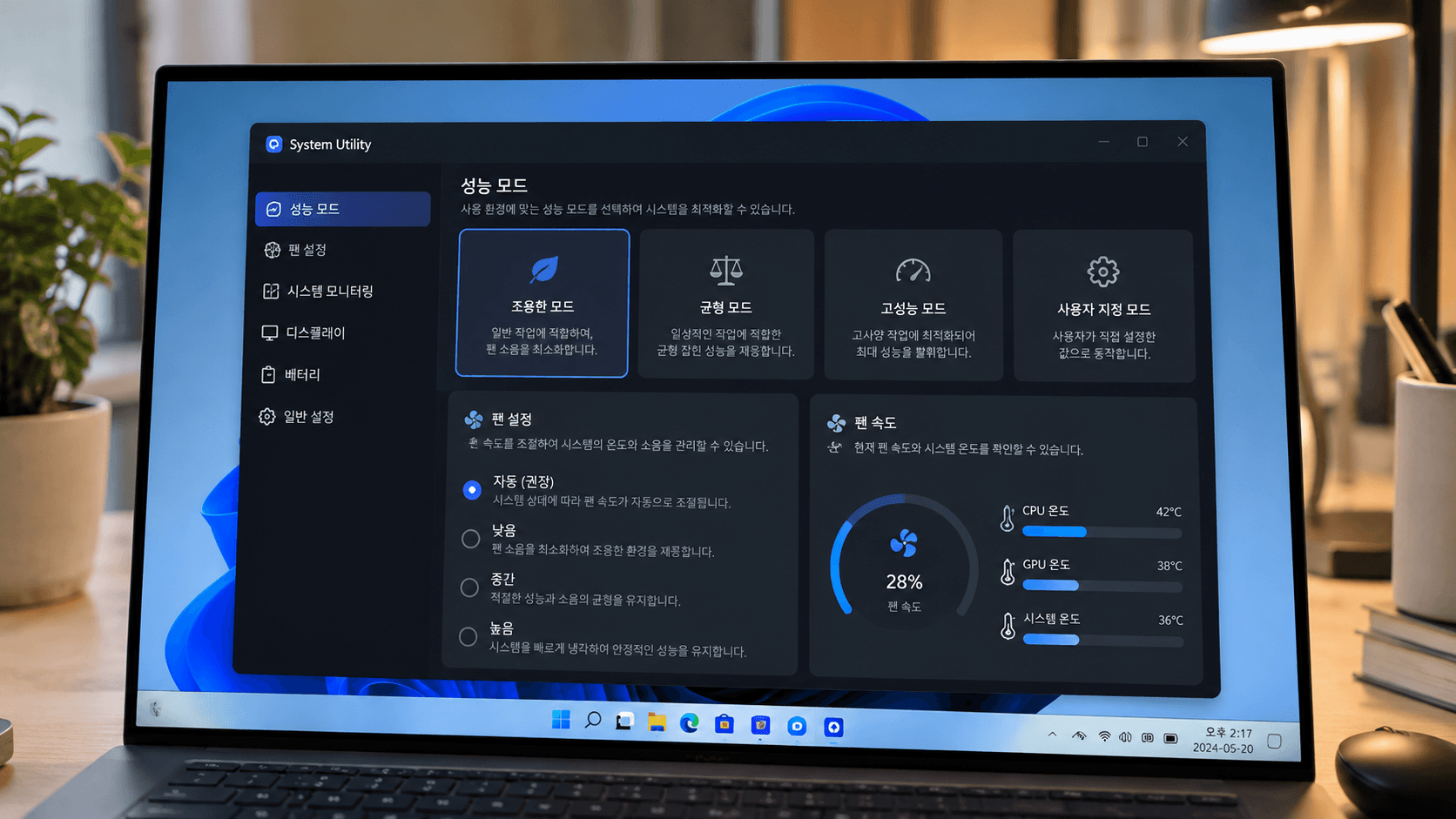
The pre-installed LG Smart Assistant utility contains custom system control profiles that override default Windows 11 power management. Selecting the right mode fixes half the thermal problem.
- Utility Name: LG Smart Assistant (accessible via Fn + F1 key binding).
- Cooling Mode Selection: Toggle from Normal mode to Silent or Recommended mode.
- Fan RPM Profile: Caps maximum fan rotational speed to eliminate high-pitched whine.
- Power Limit Adjustment: Automatically lowers short-term power boost (PL2) ceiling to 28W.
Setting the cooling profile to Silent in lecture halls keeps the fan completely off during note-taking without causing lagging systems.
To eliminate performance stutter during sustained heavy workloads, custom power limit tuning is necessary. The third-party utility ThrottleStop allows exact control over thermal thresholds.
- Utility Name: ThrottleStop (v9.6 or later).
- TPL Menu Adjustments: Set Long Power PL1 to 18W and Short Power PL2 to 28W.
- Disable Turbo Option: Toggle during basic text editing to cap temperatures under 55°C.
- Speed Shift EPP Value: Set Energy Performance Preference to 128 for optimal balance.
These tweaked power limits prevent sudden thermal spikes, keeping the system running cool and steady without sudden frame dips.
The pre-installed Mirametrix LG Glance software uses the web camera continuously for presence detection, creating significant background CPU usage and rapid battery drain.
- Background CPU Usage: Consistently used 8% to 12% background processor cycles.
- Battery Life Impact: Reduced operational running time by almost two full hours.
- Optimization Action: Disable Auto-Mute and Presence Detection features in LG Glance menu.
- Alternative Approach: Uninstall Mirametrix service entirely if physical security features are unneeded.
Disabling background camera polling instantly lowered idle power draw from 8.5W down to a lean 3.2W.
OLED displays consume significantly more battery power when displaying pure white backgrounds. Fine-tuning visual themes yields immediate battery runtime improvements.
- Windows System Theme: Force Dark Mode system-wide across all menus and applications.
- Browser Customization: Use dark mode extensions for web browsing sessions.
- Brightness Target: Maintain screen brightness at 45% to 50% indoors (approx. 180 nits).
- Battery Result: Extends daily runtime from 7 hours to over 11 hours of active web editing.
Dark mode on OLED panels turns off dark pixels completely, conserving power and preventing panel wear over time.
After optimizing power profiles, thermal curves, and panel display settings, the LG Gram SuperSlim has become my ultimate daily mobile workstation.
- Sustained Operating Temps: Hovering between 62°C and 70°C during heavy browser tasks.
- Noise Profile: Inaudible in silent library environments under standard office tasks.
- Weight Ratio: Unbeatable comfort when carrying gear across campus all day long.
If you need a secondary high-refresh display setup to pair with your mobile ultrabook at your desk, check out my custom Samsung Odyssey OLED G9 monitor setup guide for ultimate desktop productivity.